01 · Projects / The Fan Fiction Library
A reading list for a site that never had one
The creator of this website strongly objects to J.K. Rowling’s politics, opinions, and activism, and is a proud member of the LGBTQIA+ community.
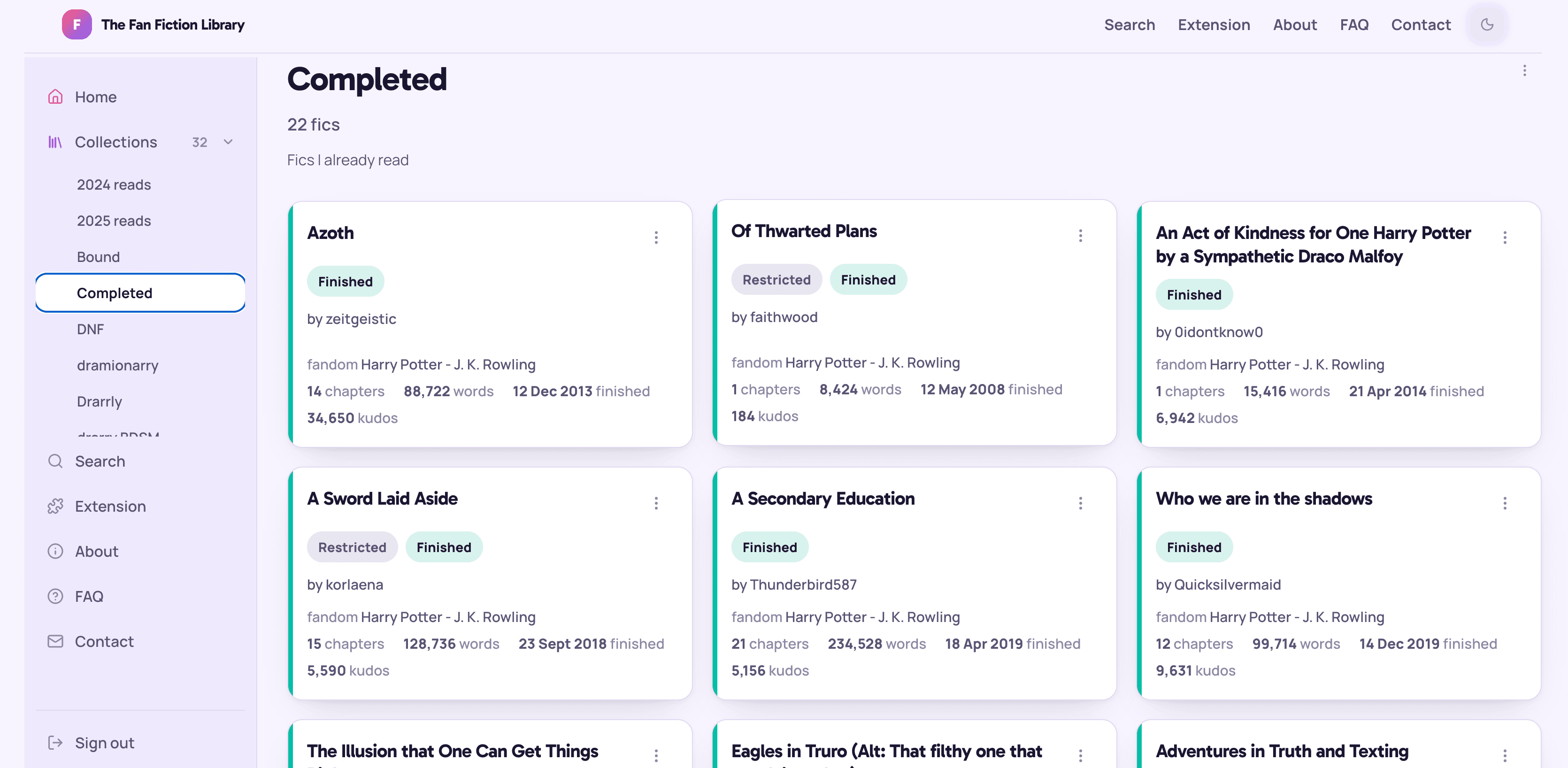
Archive of Our Own hosts millions of stories and gives readers one flat list of bookmarks to manage them with. The Fan Fiction Library is a web app and browser extension that lets readers save a work in one click, sort it into collections, keep private notes, and track what they’re reading — without ever leaving the archive.
- Role
- Sole designer & developer
- Timeline
- 2024 — ongoing
- Status
- Live · public beta
- Platforms
- Web, Chrome, Firefox (incl. Android)
02 · The problem
Bookmarks aren’t a reading system
AO3 readers routinely track hundreds of works. The archive’s own bookmarks are a single chronological list: no shelves, no reading status, no way to note why you saved something. Readers work around it with spreadsheets, notes apps, and browser tabs left open for months.
The gap isn’t storage — it’s organisation and re-entry. The design goal was a library that fits into the reading habit already in place, rather than asking anyone to move house.
- Save without a detour. One click, from the page you’re already on.
- Shelves, not a stack. To be read, completed, dropped, plus your own.
- Remember the context. Private notes and reading status per work.
- Survive the archive. Works get updated, locked, or deleted — the library has to cope.
03 · How it’s built
Two views of the same product
The same feature looks different depending on where you stand. Switch between what the reader experiences and what runs underneath.
Rendering model
Pages are server components that fetch their own data and stay thin — around 150 lines, with logic pushed into the components below them. Client components are used only where there’s genuine interaction: dialogs, menus, the search field, the theme toggle. Mutations run through server actions, so most interactions never ship a fetch handler to the browser.
Design system
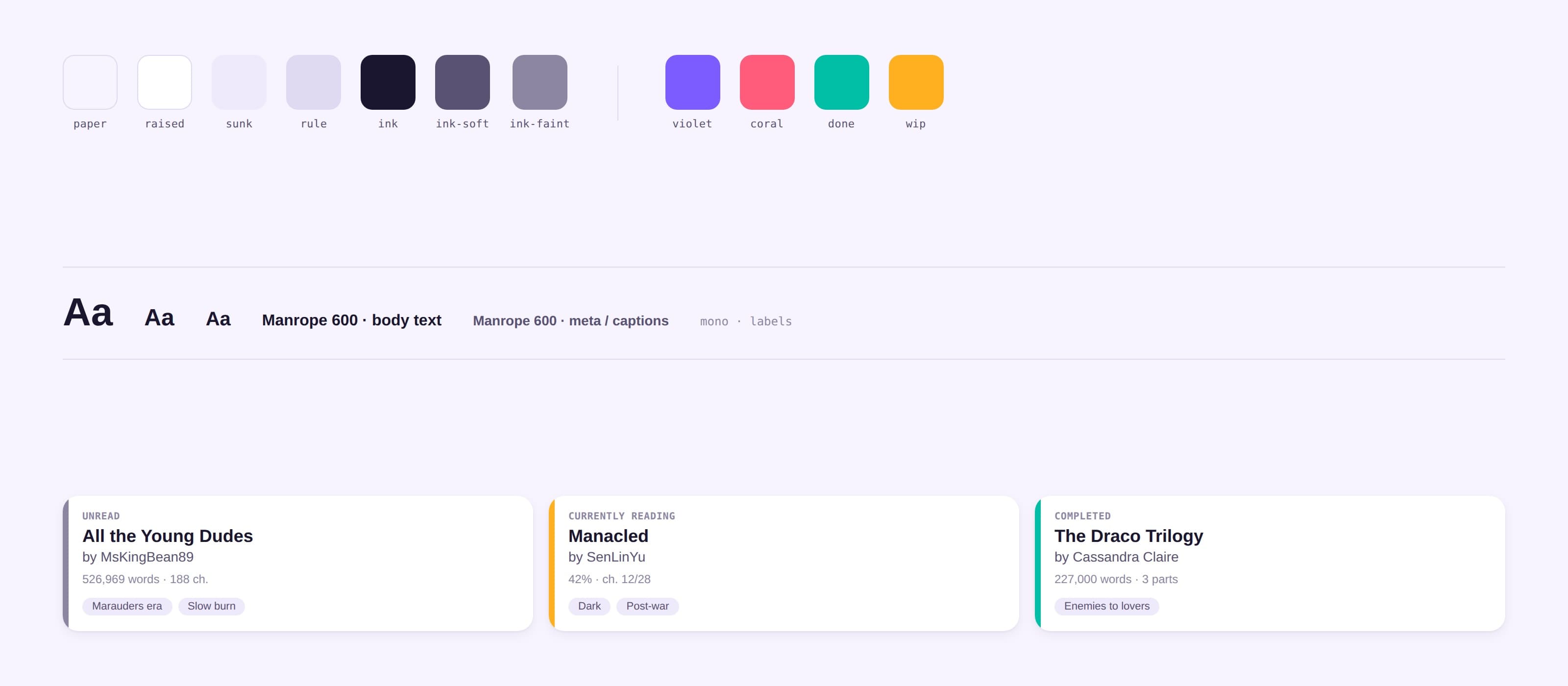
A deep navy surface with warm gold accents, Lora italic for headings and Nunito Sans for everything else. Colour and type live entirely in named Tailwind tokens — no raw hex in component code — which is what makes the in-progress light mode a change at the token layer instead of a rewrite of every component.
The work card
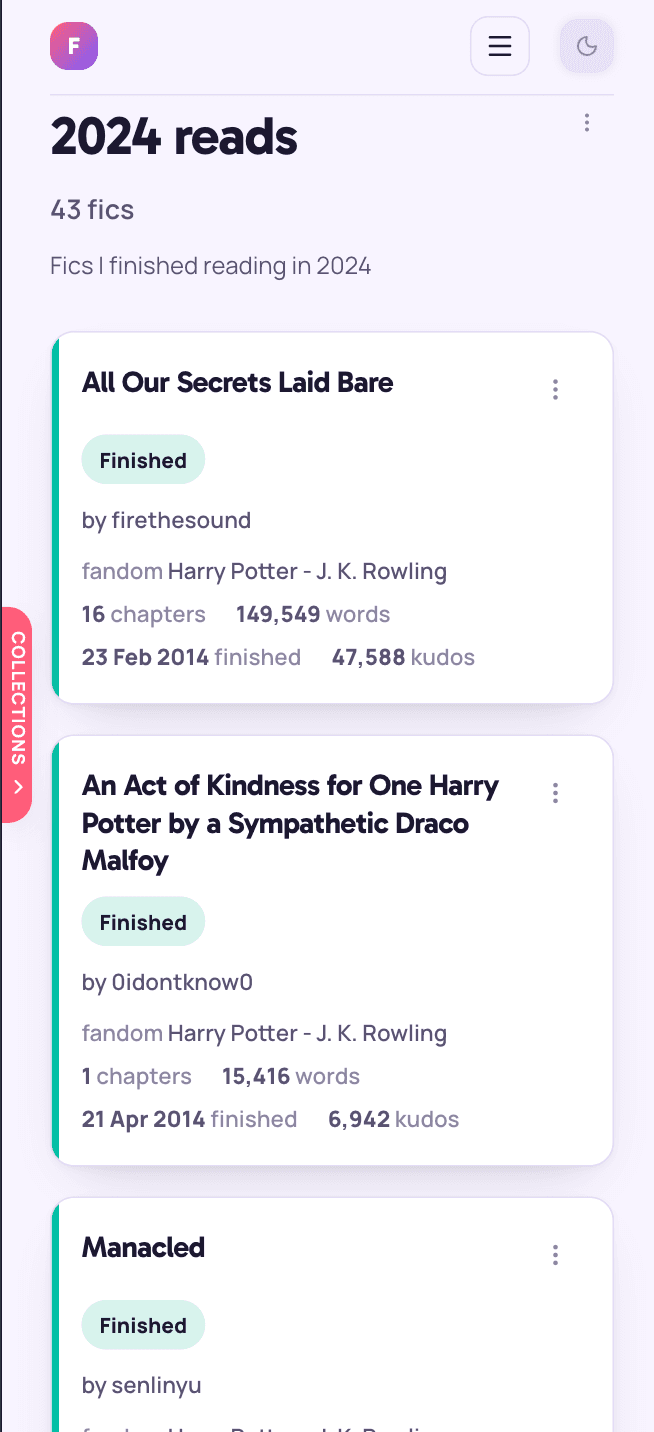
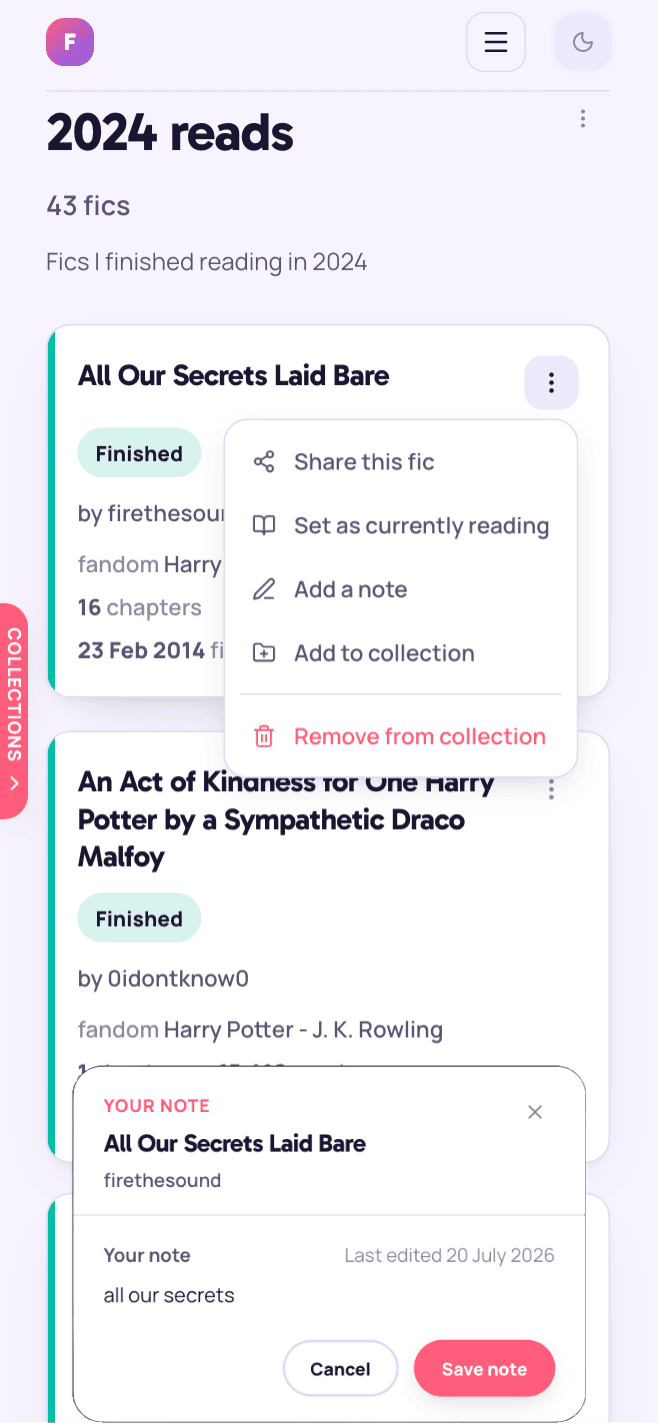
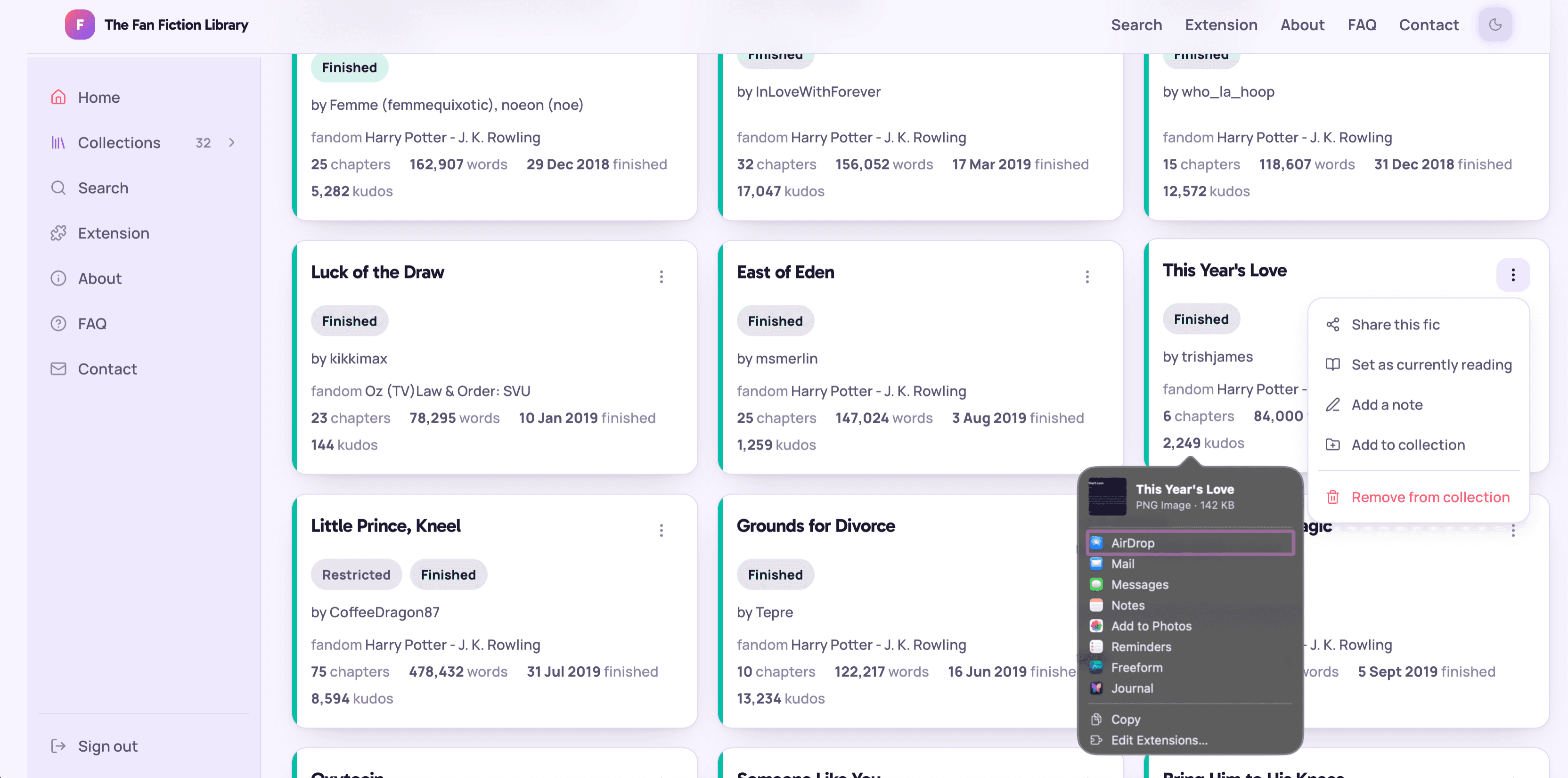
The card is the unit the whole product is made of. It carries title, author, fandom, word and chapter count, completion status, the user’s private note, and a menu for everything else. It appears in search results, in collections, and in the reading list — same component, different affordances.
Interaction details that took the longest
- Dialogs inside menus. Dialog state is owned by the parent menu, not the button, so the dialog survives the dropdown closing.
- Portals on mobile. Dialogs render through
createPortalto escape the transform containing block Radix creates, which was clipping them on small screens. - Optimistic saves. Saving a work updates the UI immediately and reconciles when the server action returns.
- Empty states as invitations. A new collection explains what to put in it and links to search, rather than showing a blank grid.
Sharing
A work card can be turned into an image and shared straight from the phone. The card is rendered to PNG in the browser with html-to-image and handed to the Web Share API where it exists, with a download fallback where it doesn’t.
The extension UI
The extension injects a save button into AO3’s own markup: on work pages, on listing blurbs, and on bookmark pages. It reads the site’s visual language rather than fighting it, and the collections dropdown matches the order used on the site, so the two surfaces feel like one product.

Data model
Works are stored once and shared across users; the join table between a user’s collection and a work carries the per-user state. Notes live in their own table, keyed to the user and the work, which keeps them private by construction rather than by filtering.
works— archive metadata, deduplicated across the whole user basecollections— owned by a user, with three defaults created on sign-upcollection_works— membership, reading status, date addedwork_notes— one private note per user, per work
Multi-source, without a rewrite
The schema originally assumed AO3 was the only source. Adding FanFiction.net meant a source column, a generated public_id, and a composite unique constraint on source plus site ID. Every step shipped as a no-op against existing rows first — the constraint went on before anything wrote to it, so production data was never in an intermediate state.
Auth
NextAuth v5 handles Google SSO and email/password side by side, with verification and reset flows sent through Resend. Row Level Security is the real boundary: even a bug in a query can’t return another user’s collections, because the database refuses.
Getting the metadata
Saving a work scrapes its metadata from the archive server-side. Restricted works can’t be fetched that way — they’re login-gated — so for those the extension reads the metadata out of the page the user is already authenticated on and posts it up. The scraper returns a discriminated result rather than throwing, so the UI can say this work was deleted and the archive is down differently.
Keeping data fresh
Fics change: chapters are added, works are completed, some disappear. A refresh pass re-checks works in the collection you’re actually looking at, fire-and-forget, so status drift gets corrected during normal use instead of needing a cron job over the whole table.
The extension's API surface
All writes from the extension go through its background worker so the session cookie travels with the request and CORS stays out of it. The endpoints are deliberately thin: authenticate, check ownership, call the same logic the site uses.
04 · Decision log
Four things that broke, and what fixed them
Sole-developer projects don’t have code review, so the useful record is the one you keep yourself. These are the decisions that changed how the rest of the app is written.
Collections went stale after you created one
- Cause
- The user's collections were serialised into the NextAuth session cookie. A new collection existed in the database but not in the cookie until the session refreshed.
- Fix
- Collections moved out of the session entirely, into a context provider fed by a server component in the layout.
- Result
- One source of truth, a smaller cookie, and new collections appear instantly everywhere.
Server action errors were blank in production
- Cause
- Next.js scrubs thrown error messages in production builds and replaces them with a digest, so users saw a generic failure where a specific one was intended.
- Fix
- Handled validation errors return a typed result object instead of throwing. Throwing is reserved for genuine faults.
- Result
- Form errors say what’s actually wrong, and the distinction between “invalid input” and “something broke” is enforced by types.
Dialogs were clipped on phones
- Cause
- Dialogs opened from a dropdown were rendered inside a transformed ancestor, which becomes the containing block for fixed positioning.
- Fix
- Portal the dialog to the document body, and move its open state up to the menu so it isn't unmounted with the dropdown.
- Result
- Same component, correct behaviour on every screen size — and the pattern is now the default for anything modal.
Locked works couldn't be saved at all
- Cause
- Restricted AO3 works are only visible to logged-in readers, so a server-side scrape gets a login page instead of metadata.
- Fix
- The extension extracts metadata from the DOM the reader is already viewing and sends it to the API, bypassing the scrape.
- Result
- Restricted works save like any other, with no credentials handled or stored on the server.
05 · Where it stands
Shipped and in use
The site is live, the Chrome extension is published on the Chrome Web Store, and the Firefox version is approved on Mozilla Add-ons — including Firefox for Android, which makes it one of the few ways to do this from a phone at all.
Next